Choosing an Electrical Power Strip seems simple until a desk fills with chargers, lamps, and bulky adapters. The right model depends on what you plan to plug in, where it will sit, and how much power your devices require. A strip with many outlets is not automatically the best choice. Check its rated voltage and current, then compare the combined load of connected appliances with the product’s stated limit. When in doubt, consult device manuals or a qualified electrician.
Look for clear safety markings from a recognized testing organization, a grounded plug when your equipment requires one, and a cord suited to the location. Surge protection can help protect sensitive electronics from voltage spikes, but it cannot prevent every kind of electrical damage. Review the joule rating, warranty terms, and indicator lights, while remembering that protection components can wear over time. Outlet spacing matters, too: a wide power adapter can block neighboring sockets. Small detail, big difference. Avoid connecting strips to one another or using a strip where it may be crushed, covered, or exposed to moisture. I once assumed a compact model would fit neatly behind a cabinet; its adapter spacing proved otherwise. That is a useful reminder that product labels matter, but the actual setup matters just as much. This guide explains how to compare key features and choose a practical option without treating one specification as a universal answer.
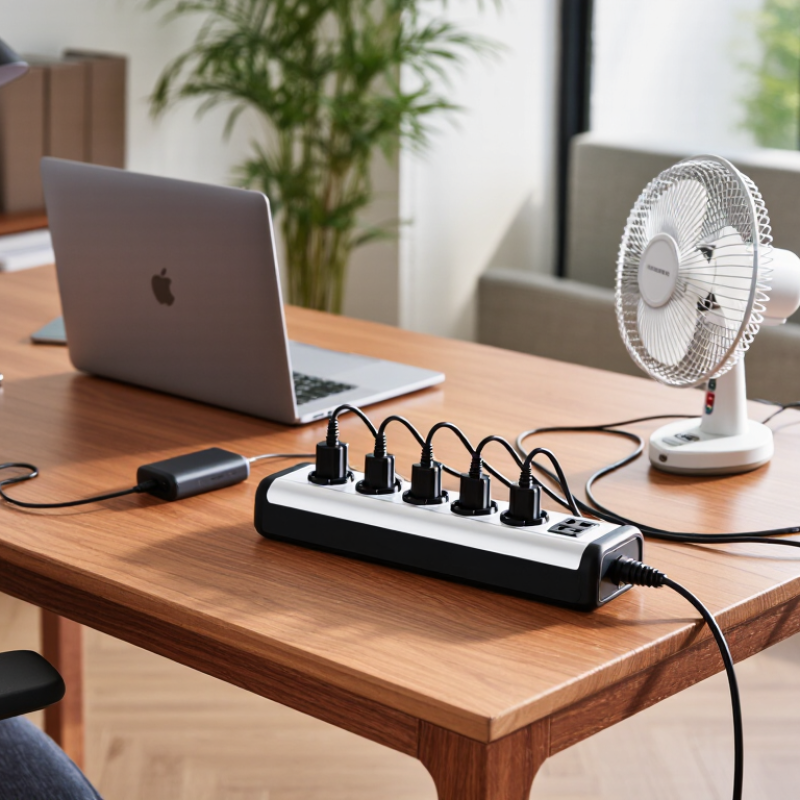
Define Your Power and Device Requirements
Before choosing a power strip, list every device you expect to plug in at the same time. Check the labels or manuals for each device’s voltage, amperage, and power rating in watts. Start with the labels. Add the wattage for devices that may run together, such as a monitor, computer, and desk lamp. If a label shows amps instead of watts, multiply amps by volts to estimate wattage.
Compare your total with the strip’s rated capacity, and leave some margin rather than planning to use its full limit. A rough estimate can be wrong, especially when a device draws extra power as it starts. That matters. Heaters, kettles, and other high-power appliances may exceed a strip’s rating, so check their instructions and use a suitable wall outlet when required. A strip cannot create extra capacity.
Think about the physical setup, too. Measure the distance from the outlet to your desk, and choose a cord that reaches without stretching or crossing a walkway. Count the plugs and note whether bulky adapters could block neighboring sockets. If you need surge protection, verify that the product is specifically rated for it; extra outlets alone do not provide protection. Avoid connecting one power strip to another, and stop if the plug, cord, or outlet feels unusually warm. When a device’s requirements are unclear, check its manual or ask a qualified electrician.
Compare Voltage, Current, and Wattage Ratings
How to Choose the Best Electrical Power Strip?
Before buying a power strip, compare its voltage, current, and wattage ratings with your devices and household supply. Voltage must be compatible; a strip’s rating does not convert the outlet’s voltage. Check the label on the strip and the rating plates on your equipment. A mismatch can cause poor performance or create a hazard.
Current, measured in amperes, indicates how much electrical flow the strip can handle. Wattage measures power. For many devices, watts roughly equal volts multiplied by amps, but motors and other equipment may draw extra current when starting. Add the wattage of devices you plan to use at the same time, and keep the total below the strip’s stated maximum. Leave some margin. It is easy to miss a small device plugged in behind a desk, and labels can be surprisingly hard to read.
Tips: Check all three ratings before plugging in. Avoid overloading the strip or connecting one strip to another. If a plug feels loose, or the strip becomes hot, stop using it and inspect the setup. A quick rating check takes seconds.
How to Choose the Best Electrical Power Strip? - Compare Voltage, Current, and Wattage Ratings
| Example Rating |
Calculated Maximum (V × A) |
Potential Use |
What to Check |
| 125 V, 10 A |
1,250 VA |
Low-to-moderate loads, such as a few small electronics, when their combined demand is within the strip’s rating. |
Confirm the connected devices’ voltage and combined current do not exceed the strip’s marked limits. |
| 125 V, 15 A |
1,875 VA |
Common household use for several compatible electronic devices. |
Check both the strip rating and the rating of the outlet circuit. A higher strip rating does not increase the circuit’s capacity. |
| 125 V, 20 A |
2,500 VA |
Higher-current applications only when the outlet, plug, circuit, and strip are all rated for the required load. |
Do not use a plug adapter to connect a higher-current strip to an incompatible receptacle. |
| 230 V, 10 A |
2,300 VA |
Devices designed for a compatible 230 V supply and plug system. |
Verify the local supply voltage, plug type, grounding, and the voltage range accepted by every connected device. |
Note: V × A gives volt-amperes (VA), not necessarily watts. For resistive loads, VA and watts are approximately equal; for other equipment, actual wattage can be lower and depends on power factor. Never exceed the strip’s marked voltage, current, or wattage limit. Follow the instructions and applicable electrical rules for continuous loads.
Choose the Outlet Count and Useful Features
Choosing an outlet count starts with the devices you use at the same time. Count them, then leave one or two spaces free for future needs. A desk might need sockets for a monitor, laptop charger, lamp, and speakers. Bulky adapters can cover neighboring outlets, so spaced sockets may matter more than a high total. Small detail, big difference.
Useful features depend on your setup. USB ports can reduce charger clutter, but check their combined output and whether they suit your devices. For electronics, surge protection can help guard against voltage spikes; a basic power strip may not offer it. Look for clear status indicators and overload protection, and choose a cord long enough to reach without tension. Check the strip’s rated load against the equipment you plan to connect.
There is no perfect outlet count for every room, and it is easy to buy more features than you need. I would still check the product label before plugging in equipment: total connected wattage must stay within its limit. Avoid connecting one strip to another, and keep high-power appliances on suitable outlets as directed by their manuals. A little planning beats a crowded, tangled setup.
Check Safety Certifications and Protection Types
How to Choose the Best Electrical Power Strip?
Check Safety Certifications and Protection Types
A power strip should carry certification from a recognized testing laboratory, not just a convincing-looking label. Check the exact model in the certifier’s online directory and confirm it meets a current safety standard, such as UL 1363 for relocatable power taps. Surge-protective strips are assessed under UL 1449. That matters. NFPA estimates that U.S. home fires involving electrical failure or malfunction caused about 46,700 fires, 390 deaths, and 1,330 injuries annually from 2015 to 2019. A strip cannot prevent every electrical fire, but proper certification is a meaningful safety check.
Match protection to the risk. A built-in circuit breaker helps interrupt overloads; surge protection helps limit voltage spikes that can damage electronics. Look for a clearly stated joule rating and a grounded plug. A higher rating can indicate more capacity to absorb surges, but it does not guarantee protection from every event. Check that the indicator light works, and replace a strip with cracked housing, loose sockets, or a hot plug. A label can look reassuring; it is not a reason to ignore heat or damage.
Tips: Use a strip only for low-power devices, such as a desk lamp and charger. Plug heaters and other high-wattage appliances directly into a wall outlet. Keep strips uncovered, dry, and away from rugs. Don’t daisy-chain them. A little inconvenient, perhaps, but safer.
Match the Power Strip to Its Intended Location
How to Choose the Best Electrical Power Strip?
Match the Power Strip to Its Intended Location
A strip for a desk is not automatically suitable for a garage or patio. In a home office, choose a grounded model with enough outlets and a cord that reaches without tension. For a workshop, check the device’s rated capacity and keep it clear of sawdust, heat, and moving tools. Damp areas need equipment specifically rated for that environment; an ordinary indoor strip is not a safe substitute. A tidy setup can still be the wrong setup.
NFPA’s Home Electrical Fires report estimated about 24,200 U.S. home fires annually involving electrical distribution or lighting equipment from 2015 to 2019. It also estimated 310 deaths and $1.2 billion in direct property damage each year. These figures cover a broad category, not power strips alone, but they underline why location and load matter. Check the strip’s rating against the connected devices, and avoid plugging in high-wattage appliances unless the manufacturer permits it.
Tips: Measure the route before buying. Keep strips uncovered and away from sinks, rugs, and doorways. For outdoor use, select a model explicitly rated for outdoor conditions. Replace damaged cords. Don’t daisy-chain strips.
Conclusion
Choosing the best Electrical Power Strip starts with understanding the devices you plan to connect, including how many there are and how much power they require. Compare the strip’s voltage, current, and wattage ratings with your devices’ needs, and make sure the combined load stays within the strip’s stated limits. Selecting a suitable outlet count helps avoid overcrowding, while useful features such as spaced outlets or a switch can make everyday use more convenient.
Safety and location matter just as much as capacity. Check for recognized safety certifications and choose protection features that suit your equipment, such as surge protection when appropriate. Then consider where the strip will be used: a desk, entertainment area, or workshop may call for different cable lengths, outlet arrangements, and levels of durability. A careful match between power requirements, practical features, safety, and placement can help you choose a strip that is both convenient and appropriate for your setup.
